Picked Design
Thumbnails Find my niche How it works Pricing FAQ Make the video↗

A finished thumbnail from one title.

In your channel's style, scored and read back for spelling, with seven titles, the SEO description and tags. About a minute.

See real results

Free credits to try itFailed work costs nothingCancel in two clicks

Title inWhat Really Happened to the Flannan Isles Keepers?
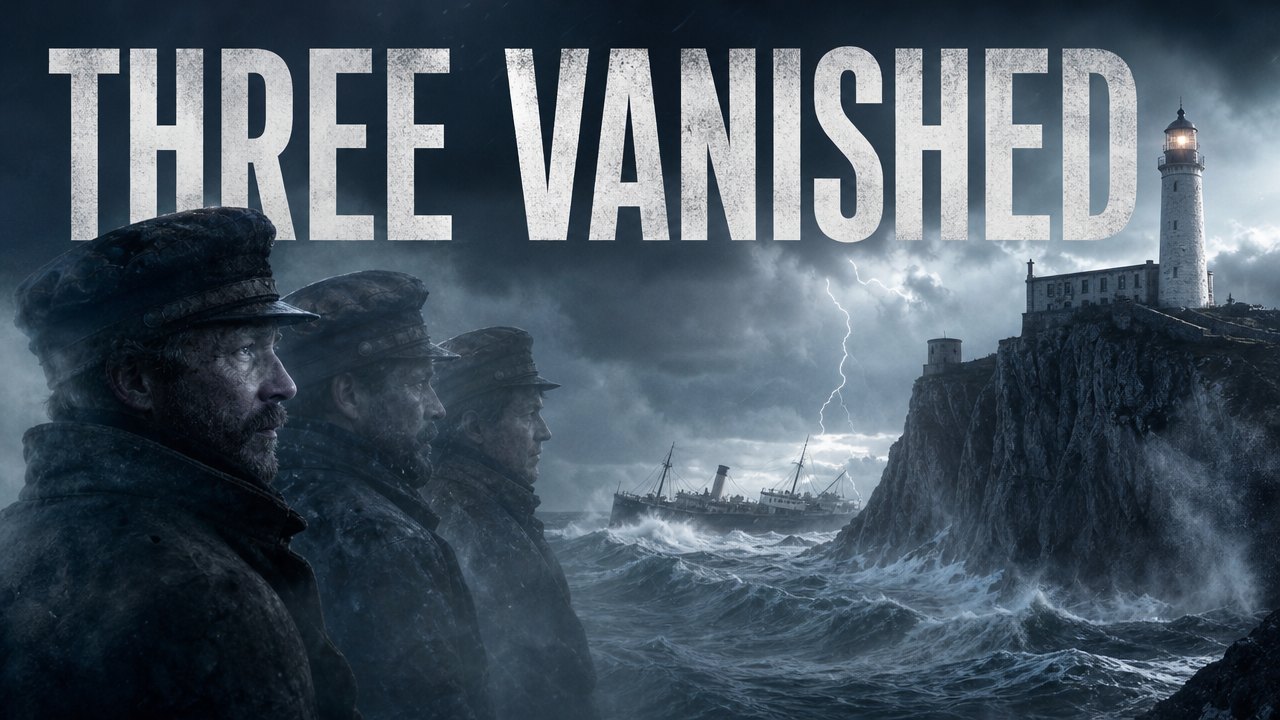
The thumbnail the app made from that title, headlined THREE VANISHED 93/100 click score
3 of the 7 titles it wrote
  • Why Three Lighthouse Keepers Disappeared Overnight (Flannan Isles)
  • How the Flannan Isles Keepers Vanished Without a Trace
  • Did the Flannan Isles Lighthouse Hide a Crime?
One real run on 22 Oct 2026, shown as it came back. The score is the app judging its own work.
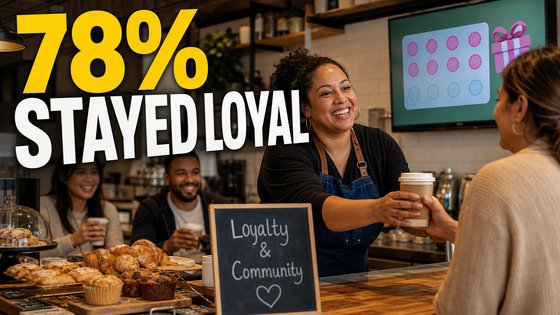
Made with Picked Design for a business channel: 78% stayed loyal
Business
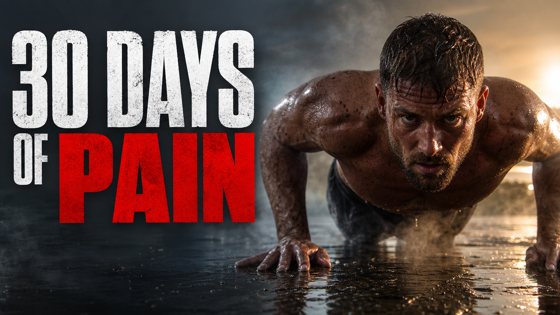
Made with Picked Design for a fitness channel: 30 days of pain
Fitness
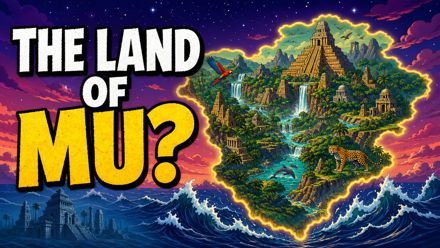
Made with Picked Design for a mystery channel: the land of Mu
Mysteries
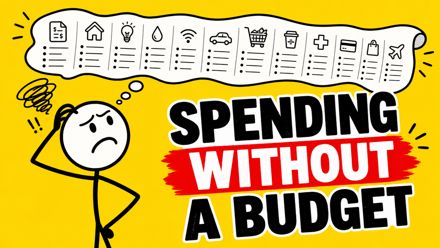
Made with Picked Design for a money channel: spending without a budget
Money
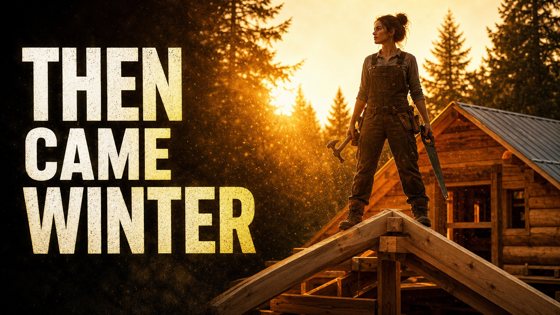
Made with Picked Design for a story channel: then came winter
Stories
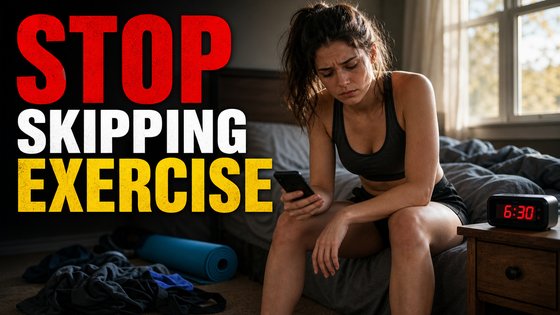
Made with Picked Design for a health channel: stop skipping exercise
Health
Find my niche

Know what to make before you make it.

The hard part is not making the thumbnail. It is knowing what to make. Start from proof, not a hunch.

Hit videos updated through the day
Breaking out this weeksmall channels only
All subjectsHistoryScienceSportGaming
Thumbnail of The Email That Made 200 Micro Influencers Think They Were Famous by Discovering Dupes
The Email That Made 200 Micro Influencers Think They Were FamousDiscovering Dupes - 2.1K subs - 375K views
182xits subscribers
Thumbnail of The Undefeated Samurai Who Never Knew Why He Won by Krunchy History
The Undefeated Samurai Who Never Knew Why He WonKrunchy History - 1.6K subs - 183K views
115xits subscribers
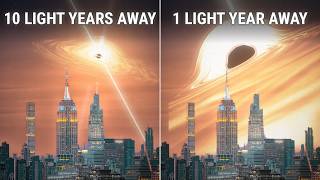
Thumbnail of What If TON 618 Came Closer to Earth? (4K) by The Cosmic Witness
What If TON 618 Came Closer to Earth? (4K)The Cosmic Witness - 1.8K subs - 177K views
97xits subscribers
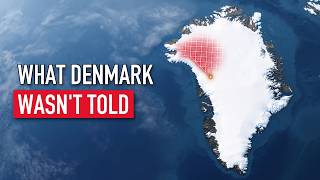
Thumbnail of Something Is Buried Under Greenland's Ice by Steel Dossier
Something Is Buried Under Greenland's IceSteel Dossier - 2.2K subs - 197K views
90xits subscribers

Real videos and their public YouTube counts, read 3 Nov 2026. The number on each picture is its views divided by the channel's subscribers.

Videos breaking out right now

Small channels pulling far more views than they should. Find them before everyone else. Small channels only, so what you see is a format working, not a famous name working.

  • Browse every subject, or search your own and get the breakouts for it
  • Filter by channel size, how recent, and a word in the title
  • Shorts and long-form kept apart, each with its own baseline
Outliersranked against subscribers
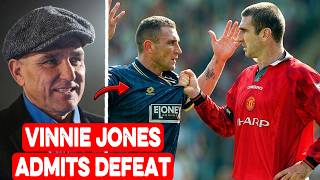
Thumbnail of Football Legends Explain How TERRIFYING Eric Cantona Was (Part 2) by World Football Icons151x
Football Legends Explain How TERRIFYING Eric Cantona Was (Part 2)3.0K subs - 459K views
Thumbnail of Two Lionesses vs Wildebeest - The Herd Fights Back! by wildlifechroniclesTV95x
Two Lionesses vs Wildebeest - The Herd Fights Back!4.5K subs - 434K views
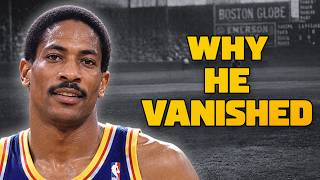
Thumbnail of They Call Him The NBA's Greatest Scorer... So Why Does No One Remember Him? by Beyond Basketball82x
They Call Him The NBA's Greatest Scorer... So Why Does No One Remember Him?3.6K subs - 301K views
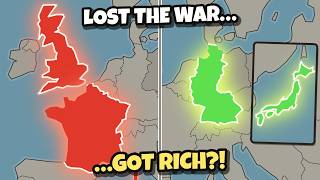
Thumbnail of Why Did the LOSERS of WW2 Get Richer Than the Winners? by Two Sides52x
Why Did the LOSERS of WW2 Get Richer Than the Winners?3.2K subs - 167K views
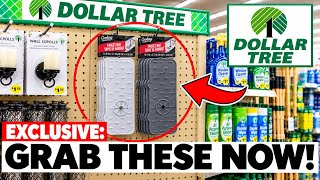
Thumbnail of 34 New Dollar Tree Haul Items Just Hit The Shelves! by Frugal Theory46x
34 New Dollar Tree Haul Items Just Hit The Shelves!3.5K subs - 162K views
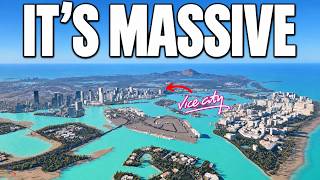
Thumbnail of Seeing GTA 6's Entire Map in 3D Is INSANE by HiPE31x
Seeing GTA 6's Entire Map in 3D Is INSANE5.2K subs - 163K views

Study any channel. See what beat its own normal.

Two ways to read every number: big for its subscriber count, or big against what that channel itself usually gets. Paste any channel - a rival, a giant, or your own - and every row prints the number it is measured against, so you can check it instead of trusting it. The window shows one read of one channel on one day; the Channels screen measures each video against the uploads around it and works it out again every time you study a channel, so your figures will differ.

  • "Normally 7.1K here - this one did 24x"
  • A video that clears both numbers is the strongest signal there is
  • Your own channel reads the same way: find what you already do best
Channels7 of the last 11 videos
TS
Two Sides3.2K subscribers - 7 of its last 11 videos
24x
normally 7.1K here
Why Did the LOSERS of WW2 Get Richer Than the Winners?167K
Why Vietnam War Was COMPLETELY Avoidable129K
This is WHY Germany LOST the Battle of Britain (Animated)88K
WW2's Craziest Battle: Americans and Germans Fought TOGETHER7.1K
Did Pepsi Really Have a Navy? (The True Story)2.7K
1 Egg a Week: What Life Was REALLY Like in Wartime Britain2.5K
Why Was Korea Split in Two But Japan Wasn't?1.3K

3 of the 7 videos shown beat this channel's normal by 12x or more - and all three have "why" in the title.

No channel yet? Find my niche builds you a Channel Blueprint: a plan from real YouTube numbers.

Answer a few short questions: which subjects you could make 100 videos about, channels you wish you had made, who or what is on screen, and how much time you have. Check that we understood you before anything is charged. Then we check up to three channel topics on YouTube while you watch, and write a full plan for the best one. If small channels are not doing well in any of them, we stop, show you what we found, and charge nothing.

Have a channel? It reads the niche from that channel's own titles and answers three things:

  • Niches you could move into - where the same creators broke out, and how small the channel was that did it
  • What is winning inside your niche - the subjects that keep turning up, with how many different creators and different titles behind each one
  • Formats nobody there is using - kinds of video that broke out in other niches but nobody makes in yours yet

Every row is a count of what has already worked elsewhere, never a forecast. On every paid plan, at the credit prices in Pricing.

Find my nicheChannel Blueprint
Which subjects could you make 100 videos about? Who or what is on screen? Channels you wish you had made + then: here is what I understood
Your Channel Blueprint
  1. Up to 3 channel topics picked from your answers, each checked on YouTube
  2. A channel identity that fits your camera answer
  3. The real channels already working it, big and small
  4. 3 ranges of what similar small channels really got
  5. Up to 12 video ideas, each linked to the real hit video it is based on
  6. A launch plan: first 7 days, a 30-day calendar, starter equipment

Check an idea before you commit

Describe the channel you are thinking of starting. It searches what already exists, keeps only videos that are really the same kind of thing, and tells you whether there is room.

Turn a winner into your video

Found one worth making? Take it straight to an outline, then to titles and a thumbnail in your own channel's style. Nothing copied between tabs by hand.

Keep what you find

Save a breakout with the numbers it had the day you found it, in folders you name yourself, so a shortlist stays a shortlist.

Follow the channels that matter

Add up to 25 channels to your Watchlist. We check them once a day, and a new video that gets several times its channel's usual views shows up there. You choose how many times, and we can email you. It is free.

Video ideas from real breakouts

Pick a niche you saved or type a subject. You get a short list of video ideas, each with why it could work and the real breakout video it is drawn from, with a link. If there are too few breakouts on the subject to go on, nothing is written and nothing is charged.

Size up a channel before you copy it

Channel snapshot shows a channel's size, start date, typical views and upload pace. Channels like this one and New channels show more of them. A long video's card shows an estimated ad-earnings range, which is an estimate and not real income. A channel under 1,000 subscribers gets no earnings estimate and is marked Monetized: unlikely. Check a video shows how one video did against its channel's usual views.

Thumbnails, titles and SEO

Then make it look like it belongs on your channel.

Paste a channel - yours, a rival's, or the biggest in your niche - and it learns the look: layout, colours, treatment. Maps stay maps, portraits stay portraits. New channel with nothing to copy? Borrow a proven format until you have your own.

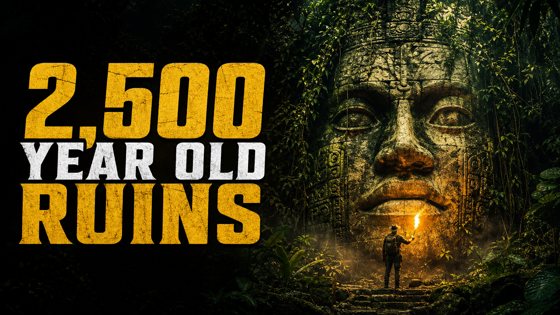
Made with Picked Design for a history channel: 2,500 year old ruins found in the Amazon
History
Made with Picked Design for a finance channel: from $500 to $2.35 million
Finance
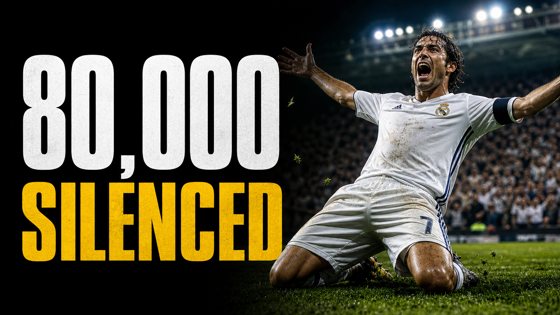
Made with Picked Design for a sports channel: the goal that silenced 80,000 fans
Sport
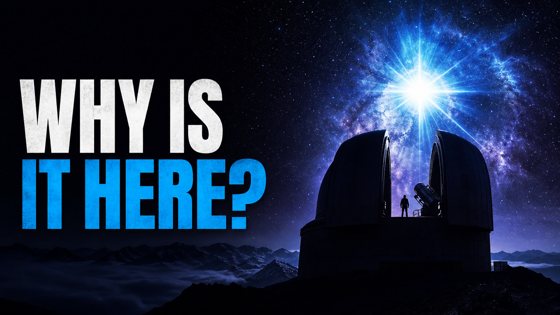
Made with Picked Design for a science channel: a star that should not exist
Science
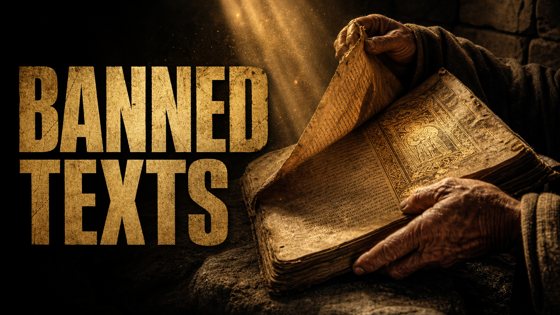
Made with Picked Design for a faith channel: banned texts cut from the Bible
Faith
Made with Picked Design for a gaming channel: 15 settings fixes that win games
Gaming
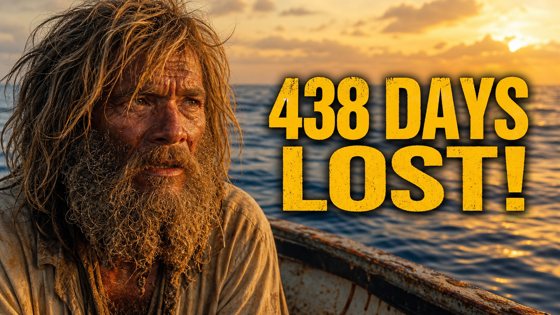
Made with Picked Design for a survival story: 438 days lost at sea
Survival
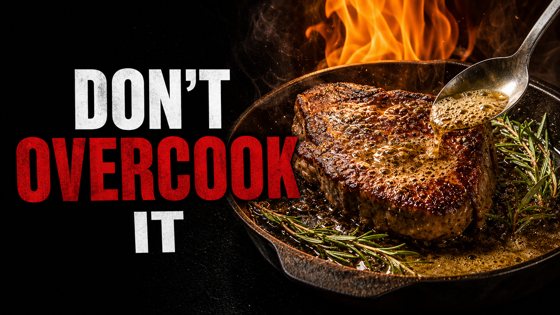
Made with Picked Design for a cooking channel: do not overcook your steak
Food
Made with Picked Design for a tech channel: five jobs AI replaced
Tech
Made with Picked Design for a pets channel: why your dog stares at you
Pets
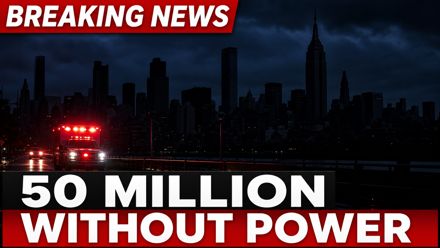
Made with Picked Design for a news channel: 50 million without power
News
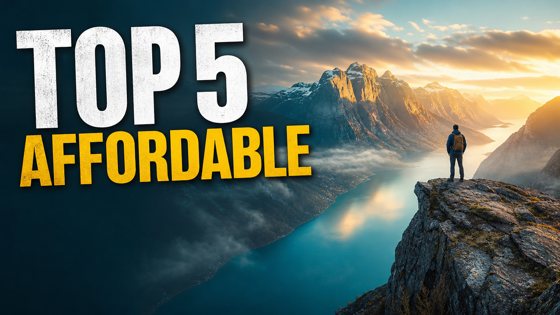
Made with Picked Design for a travel channel: top 5 affordable places
Travel

Nine things that usually take a designer an afternoon.

KINIGDOM → KINGDOM

Reads the words back to you

Image generators garble text - a real thumbnail from a large channel once shipped "KINIGDOM" for "KINGDOM". Every design is read back letter by letter so you can catch a misspelling. Anything it flags gets a one-click fix that changes that word and nothing else. It can miss a wrong spelling it reads exactly as drawn, so give the headline a last look yourself.

93Focal 10Emotion 10Text 10Contrast 10

Scores before you upload

Every thumbnail can be scored out of 100 on focal point, emotion, legibility, contrast and relevance - with one click to apply the top fix.

EPIC BATTLETHREE VANISHED

Writes text that earns clicks

Hooks built from real facts in your video - numbers, stakes, withheld answers - never limp filler like "EPIC BATTLE", and never a word repeated from your title.

Make the face biggerDone - nothing else moved.

Changes it by asking

"Make the face bigger." "Lose the arrow." "Warmer light." Say what you want different and only that changes - and the version you edited from is kept.

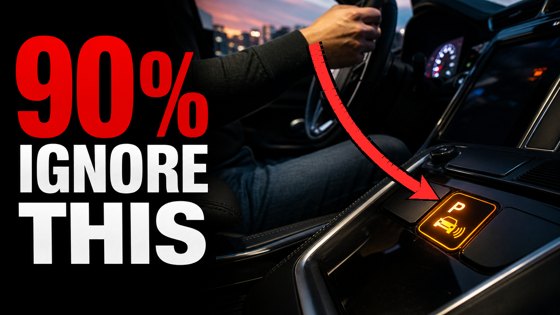
A thumbnail the app made with a red arrow pointing at a dashboard button

Points at what matters

A bold arrow in one click, aimed at the person or detail worth pointing at - never your own headline. Change its direction, colour and size without regenerating.

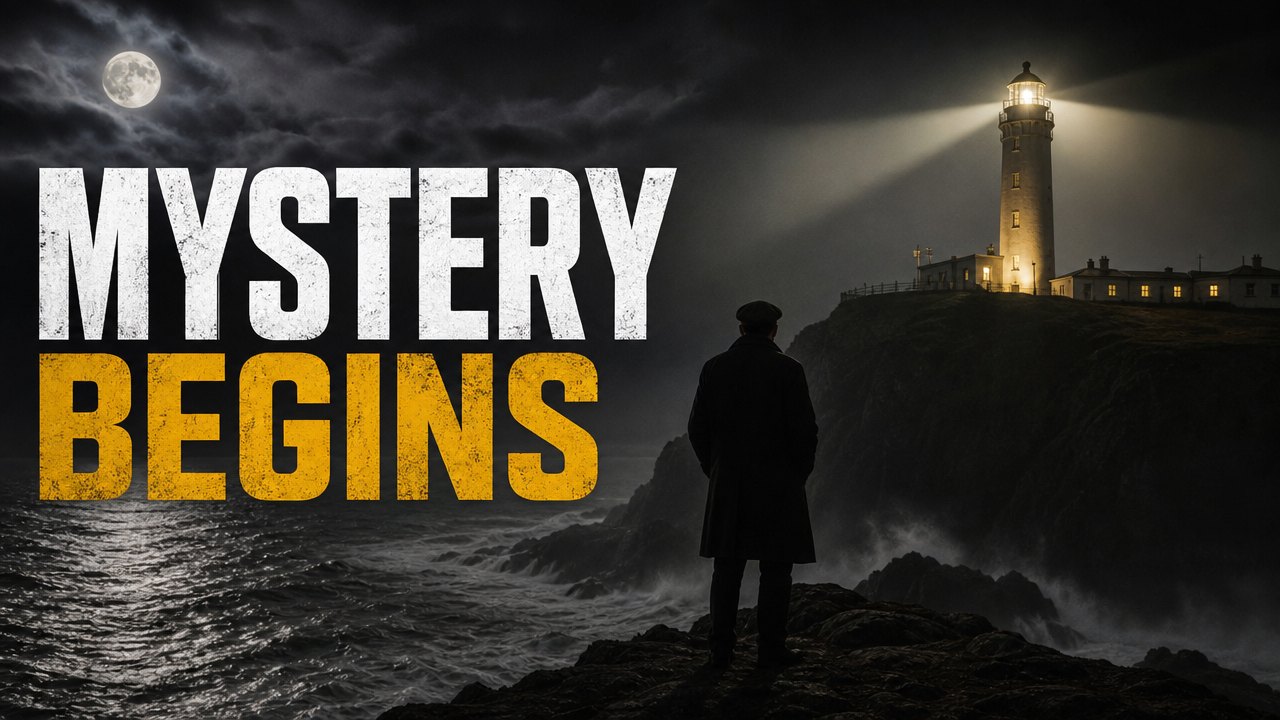
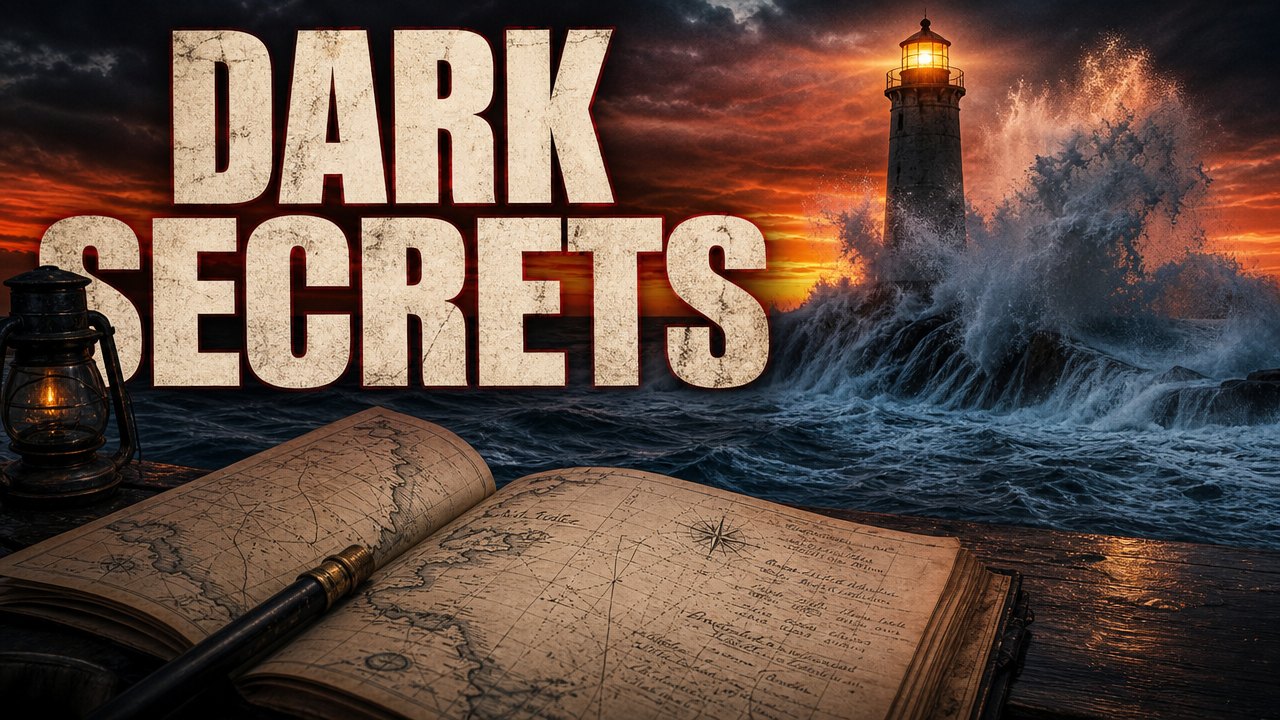
THREE VANISHEDMYSTERY BEGINSDARK SECRETS

Other words to test

Keep the picture and try different words on it, written to the same rules and grounded in what is working on small channels right now. One click puts them on the image.

Why Napoleon lost Russiaphoto found and used

Finds the people for you

Name someone in your title and their photo is found and used automatically - the photo the web agrees on, checked face for face, and the person who holds an office today, never last year's. Save the faces you use often and they come back every time, with the likeness you approved.

the strongest moment

Reads your script

Paste the script and the design, titles and description come from what the video actually says - the strongest moment in it, not a guess from the topic.

1280 x 720Video720 x 1280Short

Covers for Shorts too

One switch and the whole design is made for a 9:16 cover: drawn at 720x1280 from the start, headline and arrow placed for a tall frame, and scored as a Short's cover.

No card. Free credits to try it, one free trial per person.

The whole package

One title in. Everything you upload, out.

Thumbnails it scores itself, seven titles, an SEO description and the tags to go with them - from one run, shown as it arrived.

Create thumbnailone run, 22 Oct 2026
Title in:What Really Happened to the Flannan Isles Keepers?
A thumbnail the app designed for this title, headlined THREE VANISHED
93 /100 click score
Focal 10 Emotion 10 Text 10 Contrast 10 Relevance 10
No fix needed
A thumbnail the app designed for this title, headlined MYSTERY BEGINS
91 /100 click score
Focal 10 Emotion 10 Text 10 Contrast 10 Relevance 9
No fix needed
A thumbnail the app designed for this title, headlined DARK SECRETS
92 /100 click score
Focal 10 Emotion 9 Text 10 Contrast 10 Relevance 9
No fix needed

One title, one run, asking for three designs at once - you choose how many, from one to six. These are all three it returned, nothing dropped for scoring badly, and the scores are the app judging its own work. It asked for no changes to all three. How this was produced.

7 title options
  • Why Three Lighthouse Keepers Disappeared Overnight (Flannan Isles)
  • How the Flannan Isles Keepers Vanished Without a Trace
  • The Lighthouse That Swallowed Its Keepers (1900)
  • 9 Theories Behind the Flannan Isles Mystery (None Agree)
  • No, the Flannan Isles Keepers Were Not Lost to the Sea
  • The Week the Flannan Isles Went Silent (December 1900)
  • Did the Flannan Isles Lighthouse Hide a Crime?
SEO description

On December 28, 1900, a relief crew arrived at the remote Flannan Isles Lighthouse to find its keepers gone and the station eerily empty. The disappearance of three experienced men remains one of the greatest unsolved mysteries on Scotland's windswept coast....

Tags
flannan isles lighthouse keepers scotland mystery flannan lighthouse flannan isle mystery

Thumbnail, seven titles, SEO and tags from one title.

How it works

From idea to upload in three steps.

About a minute, start to finish.

1

Pick the video

Start from a breakout, a channel you studied, or just paste your own title. Add a sentence about what you want, or the whole script.

2

Pick the look

Choose your channel preset so it designs in your style, and decide who writes the headline - the app, or you.

3

Download and upload

The finished thumbnail arrives named after your video, with its score. Change it by typing what you want different, or ask for several and pick.

Pricing

Start free. Pay per thumbnail, not per seat.

Every plan is counted in thumbnails, because that is what you are buying. Edits, titles, SEO and idea checks come out of the same credits, and browsing is always free.

Your first account starts with 50 free credits - 12 full runs, each a picture, its score, seven titles and the SEO - and no card. One free trial per person; on a very busy day the credits arrive the next day.

Starter
$20 /month
billed monthly, cancel any time
Up to 133 thumbnails a month
400 credits a month - 100 full runs, each with its score, titles and SEO. The same credits do edits

Opens a free account first, with 50 free credits and no card. Choose Starter in My account when you want it.

Best value
Creator
$49 /month
billed monthly, cancel any time
Up to 333 thumbnails a month
1000 credits a month - 250 full runs, each with its score, titles and SEO. The same credits do edits

Opens a free account first, with 50 free credits and no card. Choose Creator in My account when you want it.

Studio
$99 /month
billed monthly, cancel any time
Up to 666 thumbnails a month
2000 credits a month - 500 full runs, each with its score, titles and SEO. The same credits do edits

Opens a free account first, with 50 free credits and no card. Choose Studio in My account when you want it.

Agency
$249 /month
billed monthly, cancel any time
Up to 1666 thumbnails a month
5000 credits a month - 1250 full runs, each with its score, titles and SEO. The same credits do edits

Opens a free account first, with 50 free credits and no card. Choose Agency in My account when you want it.

Plan credits reset on your renewal date and do not roll over. Need more before then: $10 buys 150 credits (up to 50 thumbnails, or 37 full runs) on any plan, and credits you buy never expire. Cancel in two clicks from My account.

What a credit buys

One price list, the same on every plan. Nothing is charged for work that fails or comes back refused.

What you doCredits
A thumbnail, drawn and scored3 credits
A new take on the same design (scoring it is 1 more)2 credits
A chat edit to a thumbnail3 credits
Seven titles, an SEO description and tags1 credit
Other headline words to test1 credit
An idea check: is this niche worth a channel2 credits
A question about one idea check1 credit
A set of video topics for a channel1 credit
A video outline1 credit
Find my niche: a niche build (paid plans; nothing if it stops)10 credits
Find my niche: rebuilding one4 credits
Find my niche: a chat message after the first 3 free1 credit
Find my niche: measuring a new angle2 credits
Find my niche: rewriting a section (2 for the video ideas section)1 credit
Score my title (asking again within 10 minutes is free)1 credit
Make it stronger: 3 rewritten titles, each scored (nothing if none beats yours)1 credit
Score my thumbnail (asking again within 10 minutes is free)1 credit
Video ideas from real breakouts (nothing if there are too few to go on)1 credit
A thumbnail made from your AI assistant (paid plans only)3 credits
Browsing outliers, channels and your saved workfree

Every plan and price on one page

Questions

Getting started

Do I need design skills?

No. If you can write a video title, you can use this. The design decisions - composition, lighting, text placement, colour - are made for you, and you can change any of them by typing a sentence.

I am just starting out and have no thumbnails yet. Can I still use it?

Yes - that is one of the best ways to use it. Paste the channel URL of a successful channel in your niche and the studio will design in that proven style with your topic, so your very first video looks like it belongs next to theirs. You can also browse the current top-performing thumbnails for your topic and pick which ones to design against. Nothing is copied outright: the layout, colours and energy are learned, the image is original.

How do I get an account?

Create one on the sign-in screen with your email address, then click the link we email you to confirm it. With a Gmail or Google Workspace address you can press Continue with Google instead: Google has already checked the address, so there is no email to wait for, and an account you already have with that address opens the same way. For any other address, sign up and sign in with your email and password. An account made with Google has no password until you set one with "Forgot your password?". Most accounts can start straight away; if yours needs to be approved by hand, you will see that after you sign up. If the address was mistyped and the email cannot be delivered, the sign-in screen says so and lets you correct the address.

How do I learn to use it?

There is a Tutorials page inside the studio: a short film for most parts of it, and written steps for the rest. There is also a Help button in the corner of every page - ask it anything about the app and it answers, and anything it cannot answer goes straight to a person. Both are free and neither costs credits.

Does it work on my phone?

Yes. The studio is a website - nothing to install - and the whole interface works on a phone, tablet or computer.

Making a thumbnail

What if a design is refused, comes back wrong, or does not arrive?

Credits are taken after the work arrives, never before, so a refusal or a failure costs you nothing. If a design arrives and is not what you wanted, an edit or another take is cheaper than starting again.

If something is genuinely broken, write to us from Get in touch and the credits go back. Every charge is itemised - each generation, edit, SEO package and score - and a refund goes against the exact charge that took them, all of it or part of it. Refunded credits land in the balance that does not expire.

What are the thumbnails made with?

A current top-tier image model, generated at the full size for the format you picked - 1280x720 for a long-form thumbnail, 720x1280 for a Short's cover - so nothing is ever cropped or cut off. Text can be baked into the image, or drawn by the app in crisp, editable type with per-line colours.

Can I use my own photos?

Yes. Upload a face or a sample thumbnail, paste a YouTube link to copy a video's format, or search for a public figure by name. A sample sets the layout - who stands where, the colours, the headline's place and lettering - and the people in your title take its slots; its own people and words are never copied. To keep only its colours, lighting and lettering, set Copy from the sample to Style only, use my layout, and describe your own layout. There is also an exact-face mode that places your real photo into the design instead of redrawing it.

Can I choose the exact words on the thumbnail?

Yes. Type them in Exact words on the thumbnail, under Thumbnail text. They go on every design exactly as you typed them, whether the words are painted into the picture or drawn by the app. If your notes label the words, for example Headline: followed by the words in quotes, the box fills in so you can see it before you press Generate, and you can clear it. Leave the box empty and the words are written for you.

Can I check a title or a thumbnail before I publish?

Yes. Score my title gives a title a score from 0 to 100, what helps and what hurts it, and real breakout titles on the same subject. Make it stronger then writes three rewrites of it, each scored next to yours; if none scores at least as well as your own title, nothing is charged. Score my thumbnail takes any thumbnail, yours or someone else's, and gives a score from 0 to 100, a spelling check and up to three plain fixes. The picture is used for that one score and is not kept.

Each one is priced in the Pricing list, and asking for the same score again within 10 minutes is free. A score is a guide to how a title or picture reads. It is not a forecast of views or clicks.

Finding what to make

Where do the breakout videos come from?

From YouTube itself, searched continuously across hundreds of subjects and refreshed through the day. Nothing is bought in and nothing is made up. A video only appears if it has real views behind it and genuinely out-performed the channel that posted it, which is why a search sometimes returns few rows: the bar is the point, and an empty answer is more useful than a padded one.

What do the two numbers mean?

One compares the video's views to how many subscribers the channel has - good for spotting a small channel punching above its weight. The other compares it to what that same channel normally gets - good for spotting a breakout on a channel of any size. A video that clears both is the strongest signal there is. Each row shows what it was measured against, so you can check it rather than trust it.

Can I search my own subject?

Yes. Type any subject and it searches for breakouts in it rather than only showing you the general feed. You can also filter by channel size, by how recent the video is, by how long ago the channel started, and by a word that has to appear in the title. Each card shows the channel's subscribers, the views the video earns a day and when the channel started.

Does it show how much a video earned?

Not exactly, because nobody outside YouTube can see that. A long video's card shows Est. ad earnings (on Outliers, Today's picks, New channels and Channels like this one), and Channel snapshot shows Est. monthly ad earnings: a rough range of what the views may have paid in ads if the channel is monetized, worked out from typical ad rates for that kind of video. It is not the channel's real income. We cannot see whether a channel is in the YouTube Partner Program, and sponsors, memberships and other income are not counted. Shorts get no figure, because they are paid in a different way. A channel under 1,000 subscribers gets none either. On Channel snapshot, Channels like this one and New channels, a channel under 1,000 subscribers shows Monetized: unlikely, because ad revenue on YouTube needs 1,000 subscribers; that too is an estimate from public numbers.

Does the research mix Shorts in with long-form videos?

No. A Short earns its views from a feed that plays it automatically, so ranking one next to long-form uploads would not be a fair comparison, and a Short in a long-form baseline makes ordinary videos look like breakouts. They are kept apart everywhere, with their own baseline each. In Outliers, Shorts have their own list, chosen with the Type menu once enough Shorts are stored, and they are never mixed into the list of long videos. A Short is listed when it beat its own channel's usual Shorts or its subscriber count. The Shorts list is new and still small.

The app asks YouTube which kind each video is rather than guessing from its length. That matters because a Short can now run up to three minutes - it was one minute until October 2024, and the change was not backdated - so no rule based on duration alone gets it right. When YouTube will not say, the video is counted as neither kind rather than guessed into one, and the app tells you it was left out.

Will it tell me which niche to start?

Yes, and you do not need a channel. Answer a few short questions: which subjects you could make 100 videos about, channels you wish you had made, who or what is on screen, how you will make the pictures, your time, video length and language. Then it shows what it understood, so you can correct it before anything is charged.

Next it builds your Channel Blueprint. It picks up to three channel topics from your answers and checks each one with real YouTube searches while you watch. Then it writes up the best one in full: a channel identity that fits your camera answer, the real channels already on that topic, what similar small channels really got, and video ideas (up to 12, never padded), each linked to the real hit video it is based on. It ends with a launch plan. If small channels are not doing well in any of the topics, it stops and charges nothing. If you do have a channel, it reads your niche from that channel instead, and shows you other niches where the same creators also had hits.

Two honest limits. First, it counts what already happened and never predicts. The numbers section shows three ranges: what a typical video got, what a typical successful video got, and what the hit videos from small channels got. The answer below says why we will not forecast. Second, a video idea that no real hit video backs up is left out. And when we find too little on a topic, the screen says so instead of making something up.

Will it predict how well a video will do?

No, and we tested that rather than assuming it. Formats that had done well in several niches were checked against a niche held back to see whether the one predicted the other, and it did not. So nothing here tells you what to expect from your channel. What it does tell you is what has already happened elsewhere - which niches, how many separate channels, how recently - and leaves the call to you. A number we cannot stand behind would be worse than no number.

It also tells you how much it has read of your own niche before you read anything else. If we have not yet read the shape of any breakout in your niche, the screen says so in amber and what it shows you is what travels widely rather than what is specifically missing from yours. Both are true; only one is about you, and you should not have to guess which you are looking at.

What else is in the research tools?

Today's picks shows the newest breakouts in the niches you saved. Winning patterns counts the title habits that breakout videos for a subject share; a habit being common does not mean it causes views. Rising title words lists words that more breakout videos used this month than before, and Check a keyword shows how many breakouts carry it and whether it is rising, steady, cooling or quiet. All of these come from the videos we track, not from YouTube search volume.

Outliers can be sorted by biggest jump, views a day, newest or most views, narrowed by video length, and set to show only channels that look faceless. The Category filter is part of paid plans. For channels there are Channel snapshot, Channels like this one and New channels, and Check a video shows how one video did against its channel's usual views. Big breakouts lists the fastest-growing videos on channels of any size, sorted by views a day. Channel snapshot and Check a video share a limit of 30 new look-ups a day for each account; one already looked at recently opens again at no charge. All of it is free to use.

Can I follow channels and be told when one has a hit?

Yes. Paste a channel link or @handle into your Watchlist, which holds up to 25 channels. We check each one once a day; on a busy day a check can wait a day or two, and the channel's line then says when it was last checked. When a new video gets at least 2, 3, 5 or 10 times its own channel's usual views (you choose), it shows up under New outliers, and you can ask for an email as well. It is free, and nobody else can see which channels you watch.

Can I use it from my AI assistant?

Yes, on paid plans. Connect Picked Design to your AI assistant once, then ask in plain words: find outlier videos, check a keyword, score or strengthen a title, score a thumbnail, get video ideas or make a thumbnail. The research tools are free there too, and the others use credits at the prices in the Pricing list. The assistant can only use what the connector offers, and it never posts to or edits your YouTube channel. The steps are on the connector help page.

Price and credits

What does it cost?

Plans start at $20 a month, and every one of them is priced per thumbnail - see Pricing for the current numbers, which come straight from the app rather than from copy somebody forgot to update. Each person gets one set of free credits to try it with, and no card is asked for to sign up.

What is a credit?

The unit everything is priced in. A finished thumbnail - the picture plus the click score the app runs on it - is a few credits, an edit is about the same, and the title and SEO package is one. Browsing outliers, channels and your own saved work costs nothing. The exact list is on the Pricing section, and the cost of anything that spends is shown on the button before you click it.

Score my title, Make it stronger, Score my thumbnail and Video ideas use credits too, each at the price in that list. Asking for the same score again within 10 minutes is free, and so is anything that fails.

Will I know what something costs before I click it?

Yes. The price is on the button, in credits, next to what you have left - "4 credits - 120 left" for one design - and it follows the number of designs you asked for, so four says thirteen. You see it before you press anything, not after.

Browsing and searching for outliers is free and carries no price at all. The paid actions - designs, edits, SEO, idea checks, topics - each show theirs.

Do unused credits roll over?

Plan credits reset on your renewal date, so they do not stack up month after month. Credits you buy as a top-up are different: those never expire and are spent only once the plan's credits for the month are gone.

Do top-up credits expire?

No. Credits you buy as a top-up never expire, and neither do credits we give you or put back after a refund. They stay on your account when your plan renews, and even if you cancel your plan. Only your plan's monthly credits reset on the renewal date, and those are always used first.

Can I cancel, and what happens if I do?

Yes, from My account, in two clicks, with no email to write and nobody to talk to. The plan keeps working to the end of the period you have already paid for and is not charged again. Your account, your saved work and your channel presets stay as they are.

What happens if a payment is refunded?

The credits that payment bought come off again - that part and no more, so a partial refund takes back only its share, and credits you bought in a different payment are untouched. If the balance has already been spent it simply goes to zero; it never goes negative and you are never billed for the difference. Refunding a plan payment ends the plan the same way cancelling does.

Your work and your data

Are the scores on this page real?

Yes, and it is one run rather than a best-of. The app was given one title and made three designs, in the mode the studio form defaults to. All three are shown. Nothing was dropped for scoring badly, and nothing was generated twice to get a better set.

The images here are the exact files that were scored, and the scores, the dimensions and the headline the app wrote are recorded with the run, along with the models and the date. The page is built from that record, and a test fails if the two ever disagree - so a number here cannot quietly drift away from what happened.

The titles, the description and the tags came out of the same title, printed as they arrived.

There is no before-and-after on this page, and that is deliberate. One was tried twice. Run the way the form runs, the designs come back in the high eighties and low nineties and the scorer asks for no fix on most of them; the one fix it did name moved a design by a point, which is inside its own margin. Staging a weak "before" to manufacture a bigger jump would have been the easy version of this page, and it would not have been true.

Can I organise what I save?

Yes. Saved ideas and saved outliers go into folders you name yourself - a channel, a series, a month, whatever you are actually organising by. An idea saved from a channel is filed under that channel's name unless you pick another, so a growing pile stays sorted without anyone tidying it later. Press Save on any Outliers card or Today's pick and the video is kept on the Saved tab with its numbers from that day, even after it leaves Outliers. You can make up to 20 folders. Press Saved again to take a video off the list; if it has a note or is shared with your team, you are asked first. It is free.

Both lists have a folder dropdown, and anything saved can be moved afterwards. If you never pick a folder, everything lands in "Saved" and nothing changes.

Can other people see my work?

No. Every account is a private workspace: your generations, your saved people and your channel presets are visible only to you, and nobody else who uses Picked Design can see that you have an account. Our support staff can open your account when they need to help you.

What do you do with my data?

We collect what the app needs to work and nothing else, we do not sell it, and we do not train anything on your work. The specifics - what is stored, who it is sent to, and how long it is kept - are in Your data below and in the Privacy Policy.

Who is behind it?

Picked Design, a studio running its own YouTube channels. This tool was built for our own designers first, and every feature exists because a real video needed it.
Your next breakout is already out there.

Find it this morning. Upload yours this afternoon.

Free credits to try itFailed work costs nothingCancel in two clicks

Your data

Plainly, because a privacy policy nobody can read is not a disclosure.

What we store

Your name, email address and a one-way hash of your password - never the password itself. Your plan, your credit balance and the dates they renew. The work you make: thumbnails, titles, descriptions, saved people and faces, channel presets, idea checks and outlines. A log of what you did and how many credits it used, so we can answer "where did my credits go". A security record of sign-ins and account changes, with the internet address they came from. The messages you send us through the contact form, the Help chat and support requests, and a record of which email addresses have had the free credits. The full list is in the Privacy Policy.

Who it is sent to

The AI engines that draw and write for you receive the words you type and the pictures you add, including photos of people and the photos the app finds of people named in your title, because that is the job. Web search and public reference services receive search words, such as a person's name or a video topic, when you or the app look for photos or research a topic. YouTube's public API receives the channels, videos and searches you look up. Stripe handles payment and sees your email address - card details go to Stripe directly and never reach our server. Our mail provider sends you confirmation, password and receipt emails. If you use Continue with Google, Google tells us your name, email address and profile picture, used only to sign you in (the picture is not kept). Our hosting provider runs the servers your data is stored on. The page's fonts come from Google Fonts, which sees your browser's request for them, and the sign-up, password and contact forms can carry Cloudflare's bot check, which sees the same. None of them is given your data for their own marketing. The full list is in the Privacy Policy.

What we never do

We do not sell or rent your data. We do not show your work to other customers. We do not train any model on it. There are no advertising trackers on this site, and no analytics that follow you anywhere else.

How long it is kept, and getting rid of it

Your work stays in your workspace. Each account has a share of the storage, and when it is full the oldest pictures are removed first; your newest batches are always kept. Past designs, saved people, presets and saved items you delete are removed at once. To have your account deleted, use "Delete my account" under My account or contact support from Get in touch: support removes the account and all its work. We keep the record of your credits, the record that your address had the free credits, and the security record of sign-ins and account changes. See the Privacy Policy.

Cookies

Two, both ours. One keeps you signed in; the other remembers that this browser has signed in to your account before, so a stranger guessing at your password cannot lock you out of it. Both are signed so they cannot be forged, neither is shared with anyone, and there are no advertising or tracking cookies to consent to. While you sign in with Google, a third one of ours lives for up to 15 minutes to check that Google's answer belongs to your browser.

Get in touch

Questions, access requests, or something not working - send a message and it comes straight to us.

Or find us on X: @UsePicked↗

Picked Design

AI thumbnails, titles and SEO for YouTube. Pricing · Your data · Contact · Sign in
Terms · Refunds · Privacy · Use with an AI assistant · Infokings Media Ltd
Make the video with Picked Studio↗ · @UsePicked on X↗

Questions? support@pickeddesign.com

Picked Design

AI thumbnails, titles & SEO for your channel

Please confirm you are not a robot, then sign in again.

or
Continue with Google

Forgot your password?

Continue with Google
or use your email

By creating an account you agree to the Terms and Privacy Policy.

Create an account Back to sign in

← Back to the site

MOCK MODE
Help
Send it to a person

We read every one. You will get a reply by email at the address on your account.

Or read the .

Create
Research
Library
Owner
Account

Welcome - your first thumbnail in three steps

  1. 1

    Add a channel style. Paste a channel URL, your own or one in your niche whose thumbnails work. The app learns that look.

  2. 2

    Paste your video title. One line is enough. Describe the picture, or add the script, if you have it.

  3. 3

    Generate and download. Your thumbnail, seven titles and an SEO description arrive together, scored.

I already have a thumbnail: score it and try new text on it

Upload it or paste its YouTube link, and type its title in the Video title box. It gets the same click score and spelling check as a design made here. Then Text ideas suggests other words and puts the ones you pick on the picture.

Your earlier title and description are still here.
Add the script - optional

Thumbnail text AI designs it

Who adds the headline - the app (you can move it and change its colour), or the AI inside the picture

Used as typed, on every design. Type in capitals to keep capitals. Put / where you want a new line.

People and references People: none - Sample: none

All optional - faces, a look to copy, and thumbnails that already work

👤 People
🎨 Format

Style only keeps the sample's colours, lighting and lettering, and places things the way you describe under Describe the picture.

Your brief describes a layout. Pick Style only if you want your layout instead of the sample's.

Leave the topic blank to search with your title.

A thumbnail you pick is copied whole. Switch it to Layout only to copy just where things sit in it, and keep your own channel's look.

More options On: Auto-find photos

Looks for photos only when your title or description names a real person, or an office such as the US president. Nothing is added otherwise.

each one is a different idea, not a copy

You confirm this once. See the Terms.

Thumbnails

Edit text and arrow Free - applies to every design

The box on each design changes that design's words only. Drag the words on the picture to move them.

Line 1
Line 2
Line 3

7 Title Options

Pick one - it becomes the download filename.

SEO Description

Chapter labels from your script. YouTube only builds a chapter bar from real timestamps, so add your own times once the video is cut - the first one must be 00:00.

    Tags

    Your results appear here

    Your thumbnail with its click score, 7 titles, a description and tags, all from one Generate.

    Title in What Really Happened to the Flannan Isles Keepers?

    A thumbnail the app made for this title, headlined THREE VANISHED93/100
    A thumbnail the app made for this title, headlined MYSTERY BEGINS91/100
    A thumbnail the app made for this title, headlined DARK SECRETS92/100
    • 7 titles, for example: Why Three Lighthouse Keepers Disappeared Overnight (Flannan Isles)
    • A description written to paste into YouTube
    • Tags for your subject, ready to copy
    One real run of three designs, shown as it came back. The score is the app judging its own work.

    Outliers

    Videos beating their channel's usual views, biggest jump first.

    How this works

    Videos doing unusually well on small channels, in every subject. The biggest jump in views compared with the channel's subscribers comes first. Search a subject to see its breakouts, small channels first.

    Put a word in brackets, like (chair), to keep only titles that contain it.

    What people type on YouTube

    Real search suggestions. The number is how many breakout videos we have stored for that phrase. Not search volume.

    Category is part of paid plans

    How these are ranked

    Today's picks for your niches

      Video ideas from real breakouts

      Pick one of your saved niches or type a subject. You get working titles, each with why it could work and the breakout video it is drawn from.

        Check a keyword

        Winning patterns What breakout videos for this subject have in common

        Counted from the videos we track for this subject. A pattern being common does not mean it causes views.

        Words in these titles that do better
        Used a lot, doing worse

        Rising title words

        From breakout videos we track, not YouTube search volume.

        Only titles with

        Big breakouts

        The fastest-growing videos on YouTube right now, on channels of any size.

        New channels

        Channels that started recently and already have a video breaking out.

        How this works

        These are channels found through their breakout videos in our research, not every new channel on YouTube.

        "Faceless: likely" and "On camera: likely" are a guess made by AI from a few of the channel's thumbnails, shown only when it was fairly sure. We check only channels started in the last 90 days. Open the channel to check.

        Channels

        Add a channel and see which videos are breaking out in its subject.

        How this works

        Add a channel to see which videos are doing unusually well in its subject. Then turn those videos, and the channel's own best ones, into ideas for your next videos.

        More

        Channel snapshot

        Paste any public channel link, @handle or video link. You get its size, start date, typical views, upload pace and how many of its videos are breakouts we track. Free.

        Check a video

        Paste any YouTube video link or video id. You get its views, its channel's size, how it compares with the channel's usual views, views a day and an estimated ad-earnings range (none when the channel is under 1,000 subscribers). Free.

        Video topics for this channel Written from this channel's best videos and the hit videos in its niche. Each one names the video it is based on.

        Edit searches

        The searches this niche runs, one per line.

        Channel analysis

        Watchlist

        Follow other channels and catch their new breakout videos.

        How this works

        Follow other people's channels. When a new video gets many more views than that channel usually gets, it shows up here. You choose how many more. We check once a day and can email you.

        its channel's usual views

        New outliers

        Channels you watch

        Check before publishing

        Give the title you plan to use and the thumbnail. You get one answer: Ready to publish, or the two things to fix first. It costs 1 credit.

        Your thumbnail: choose or drop an image, paste one here, or pick one you made:

        Your thumbnail

            Idea check

            See if there is room for a new channel on a topic.

            How this works

            Type what a channel would be about. We search YouTube the way a viewer would, see what is doing well, and tell you if there is room for a new channel. We show the videos behind the answer.

            What people type on YouTube

            Real search suggestions. The number is how many breakout videos we have stored for that phrase. Not search volume.

            A check searches the subject from five angles and takes about a minute. Go deeper searches fifteen and takes two or three, for an idea worth a closer look.

            Score my title

            Paste a title and get a score from 0 to 100.

            How this works

            Paste a title. You get a score from 0 to 100, what helps and what hurts it, stronger versions when we can write them, and real breakout titles on the same subject.

            Score my thumbnail

            Drop any thumbnail, yours or a rival's. You get a score from 0 to 100, the spelling check and up to three plain fixes. The picture is used for this one score and is not kept.

            The thumbnail to score

            Find my niche

            Find a channel topic where small creators are doing well right now.

            How this works

            Find a channel topic where small creators are doing well right now. Every number comes from real YouTube videos. Nothing is a guess. Find my niche writes what it finds up as your Channel Blueprint, and every blueprint you build is kept under Past blueprints.

            Start here

            How these numbers are counted

            How these numbers are counted

            Niches you could move into

            Creators who had a hit video in your subject also had hits in these. The subscriber count shows how big that channel was.

            What is winning inside

            Subjects that keep coming up in hit videos here, and how small the channel was that made each one.

            Formats nobody is using in

            Saved

            Videos and topics you saved, with the numbers that made them stand out.

            Topics to make

            Outliers you kept

            Save to folder

            Not for you?

            We will find you a different topic. What is wrong with this one? You can leave this empty.

            Channels like this one

            Tutorials

            Short films and guides to every part of the studio. Nothing here costs credits to watch or read, and the Help button in the corner answers questions these do not.

            ➕ Add or change a tutorial

            Record the video on YouTube, paste its link here, and it appears on this page for everyone. The picture is loaded from YouTube; the player itself only loads if someone clicks it.

            Past Generations - your designs are saved here automatically

            Activity Log

            TimeWhoActionTitleQualityEst. cost

            My account

            🔑 My password

            🚪 Signed in elsewhere?

            Sign out of every browser, phone and Chrome extension that is signed in to this account, this one too. Your work and credits stay.

            Sign out everywhere now? You will need your email and password to sign in again.

            🤖 Connected assistants

            AI assistants such as Claude or ChatGPT that you let use this account. See them, or disconnect one: Connected assistants

            ✉ My email

            We send the new address a link. Your old one keeps working until you click it, so a typo cannot lock you out.

            ⚡ Plan and credits

            By choosing a plan or a top-up you agree to the Terms and the Refund policy. A plan renews until you cancel it.

            Anything that uses AI costs credits, and the price is on the button before you click it. A thumbnail's price includes its click score. Edits, titles, descriptions, idea checks and topics use the same credits, and so do Score my title, Make it stronger, Score my thumbnail and Video ideas. Looking through outliers, channels and your saved work is free. Plan credits start again on your renewal date. Credits you buy as a top-up never expire.

            🧾 Invoices and receipts

            Every payment you made to Picked Design. A paid plan payment has a receipt that shows it was paid, and its invoice page, where you can download the invoice and the receipt. A top-up has a receipt.

            🗑 Delete my account

            This sends support a request to delete your account and all its work: designs, saved people and their photos, presets and saved items. Nothing is deleted until support does it and replies by email. A paid plan is cancelled with it, so it is not charged again. We keep only the record of your credits and the record that you had the free credits.

            Terms · Refunds · Privacy

            How it looks on YouTube

            Search result size

            Your Channel · 12K views · 2 hours ago

            Suggested sidebar size

            Your Channel